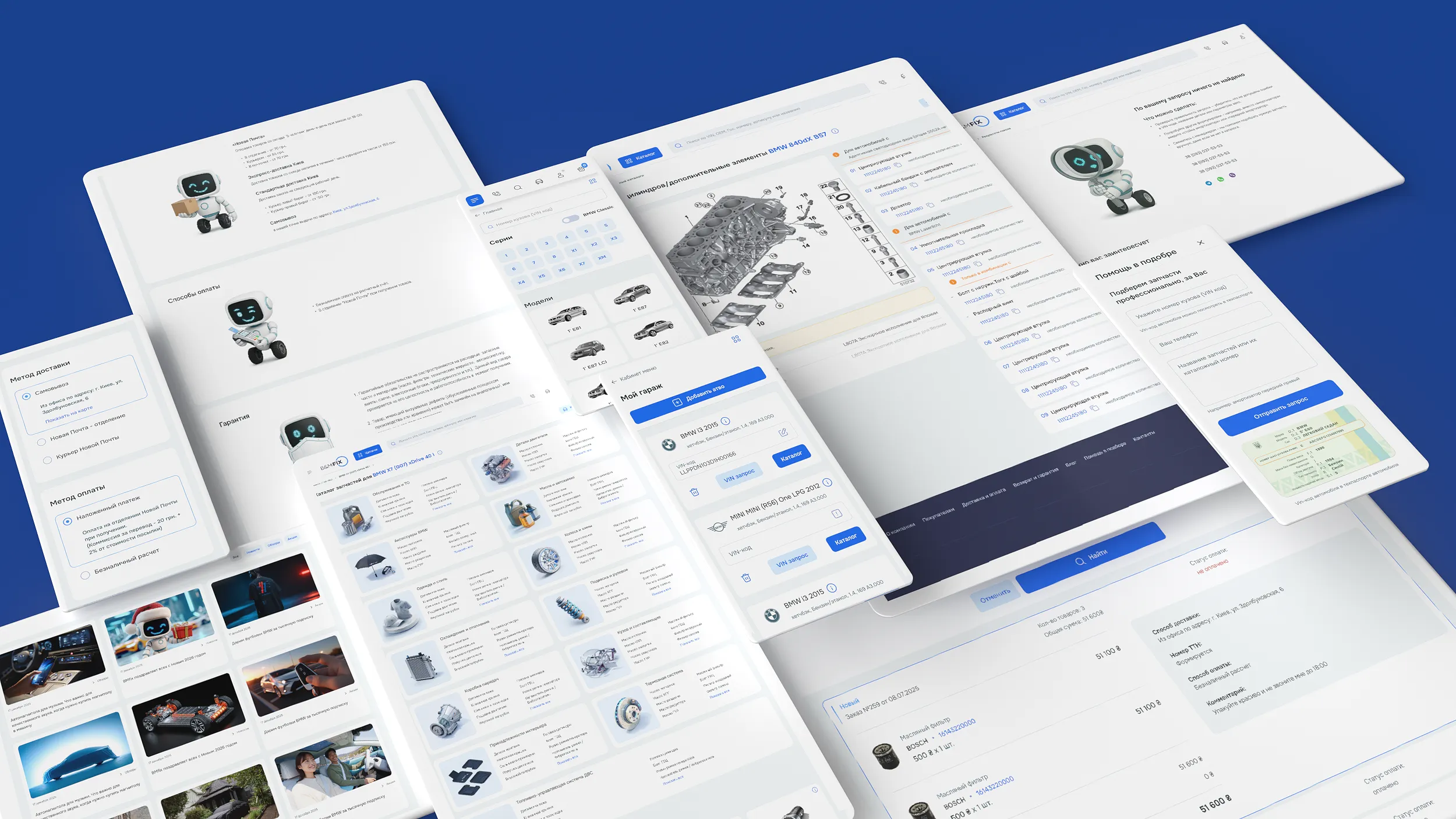
BMFix — auto parts and accessories catalog design
BMFix is a leading Ukrainian distributor of parts and accessories for BMW, MINI, and other premium European brands.
The product is complex: thousands of SKUs, different suppliers, different delivery times for the same item. I took on the task of making this process clear even for someone who doesn't know cars.

The task
Turn selecting auto parts — a process that usually requires a call to a manager or knowledge of catalog numbers — into an intuitive online experience:
search by VIN code and part numbers without manual clarification
a flexible vehicle-based selection system
transparent display of different prices and delivery times for the same item
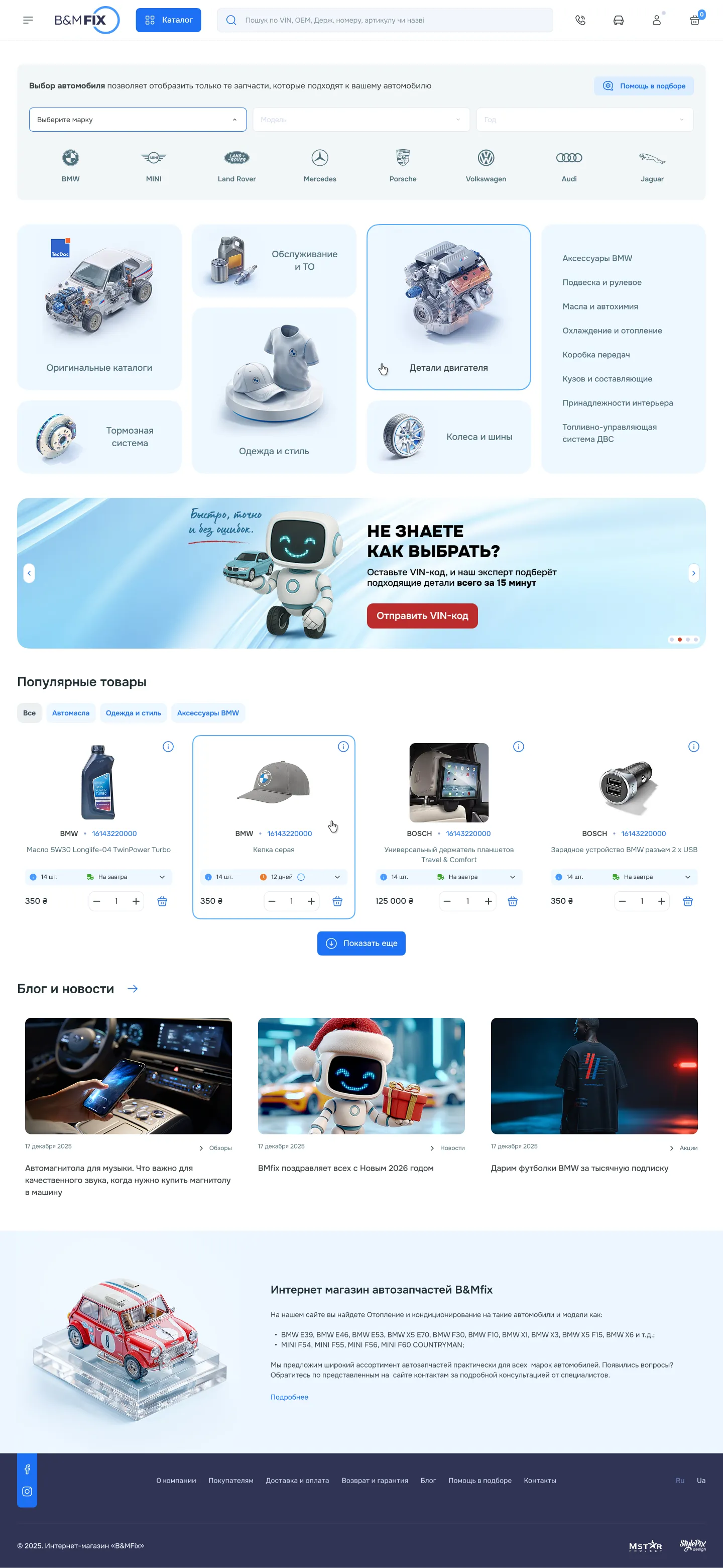
Homepage:
three paths to purchase
Instead of one ‘correct’ search scenario — three, for different types of buyers:
Direct search
The header search field accepts a part number, name, or VIN code — no need to know exact terminology.
Step-by-step filter
After selecting a vehicle, the entire catalog is filtered to that specific model — no more manually checking compatibility.
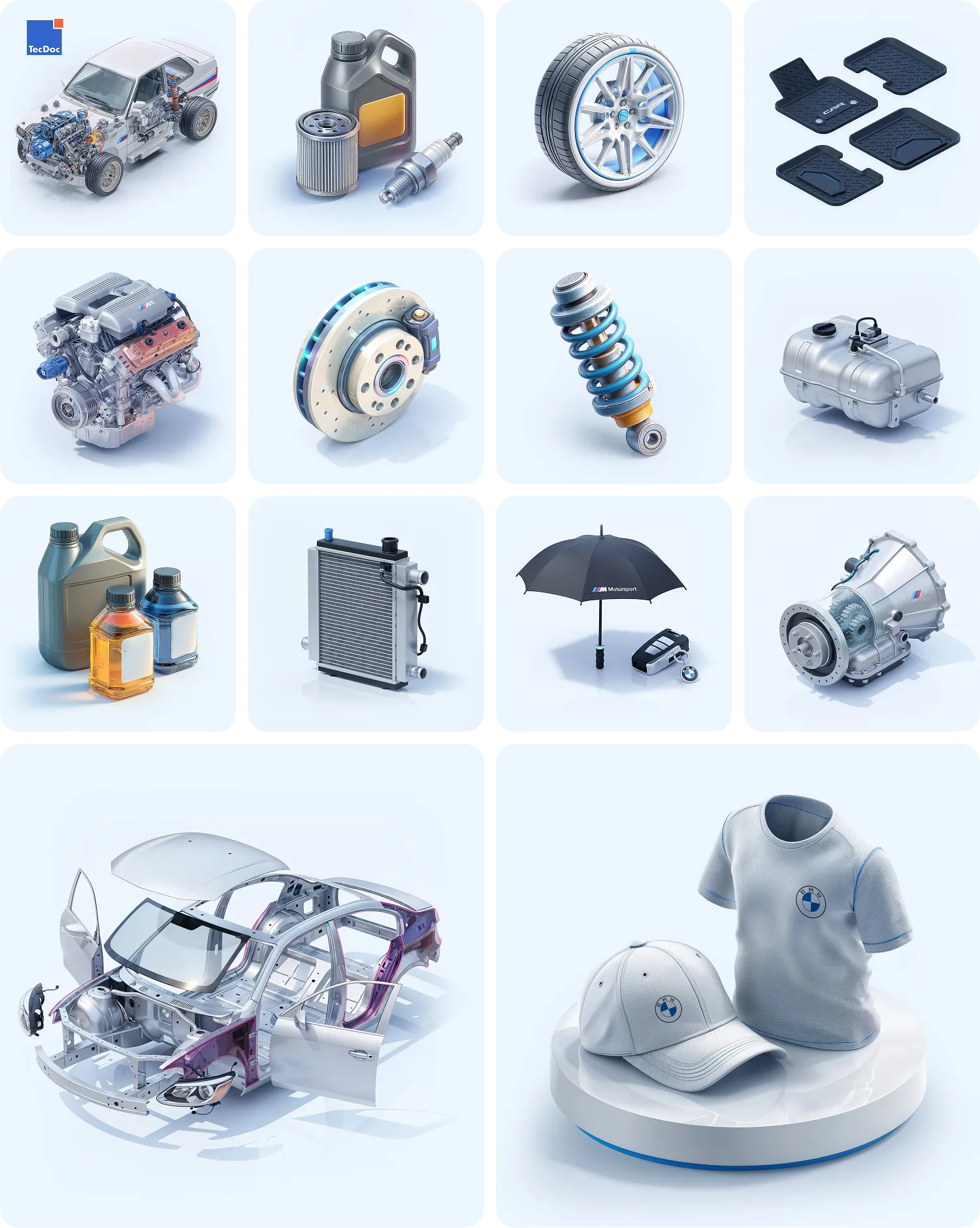
Visual catalog
For those who haven't settled on a specific part yet and just want to ‘browse’ what's in stock.
Below the second screen is a dynamic promo slider for deals and a ‘Popular products’ block, whose content adapts to the user's selected vehicle.
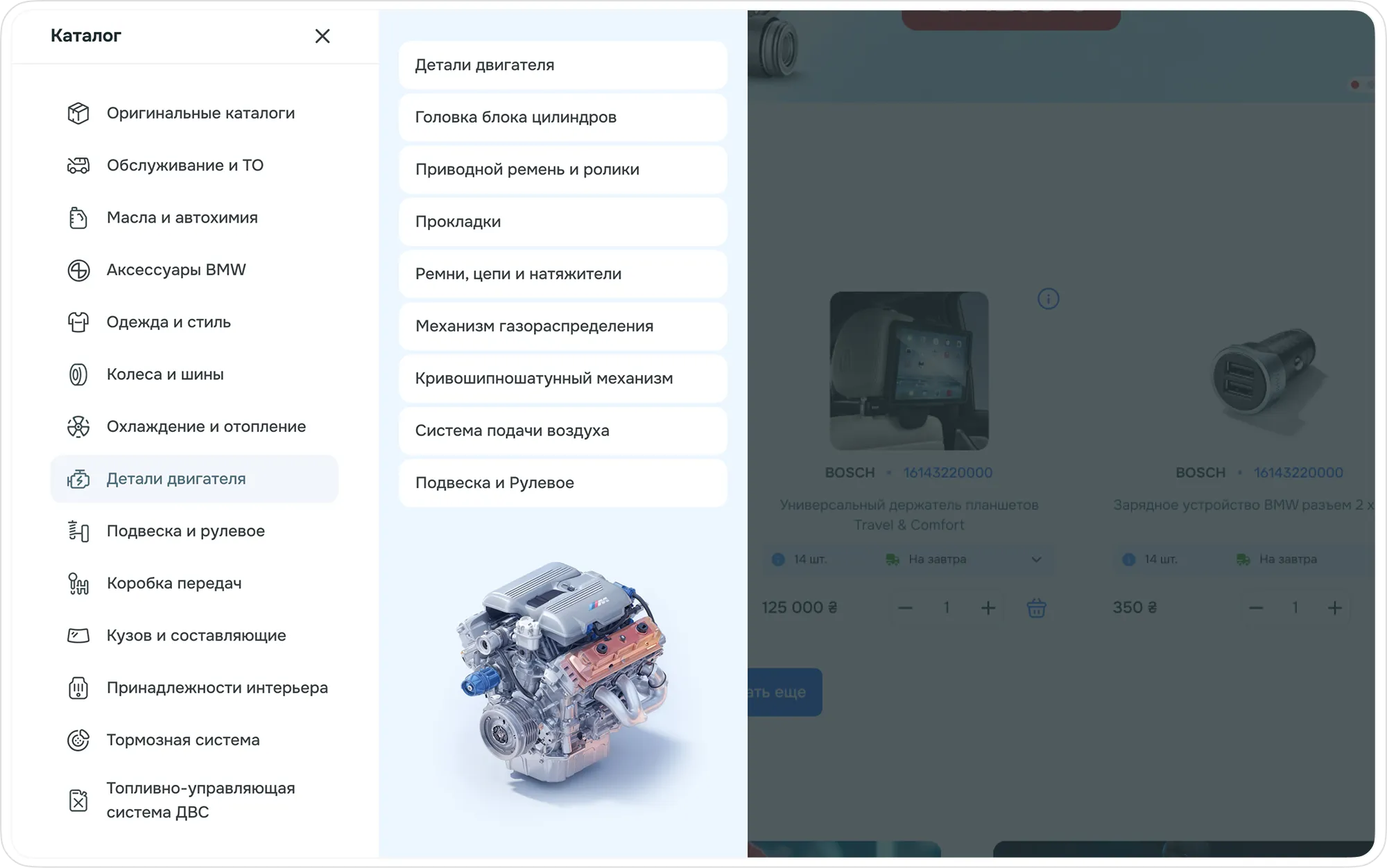
Catalog menu
Product listing:
flexibility for different buyers
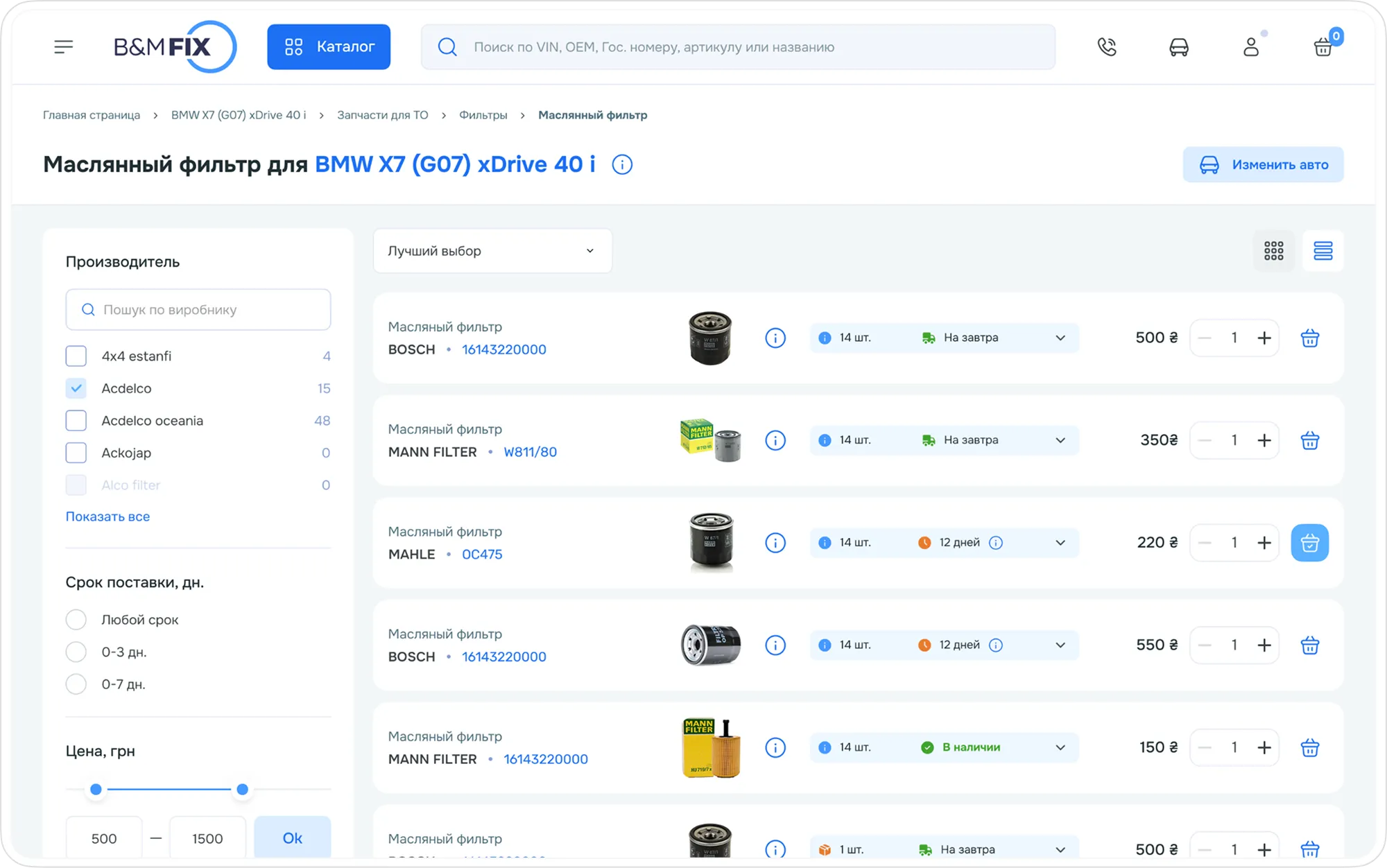
The catalog is implemented in two display modes for different behavior patterns:
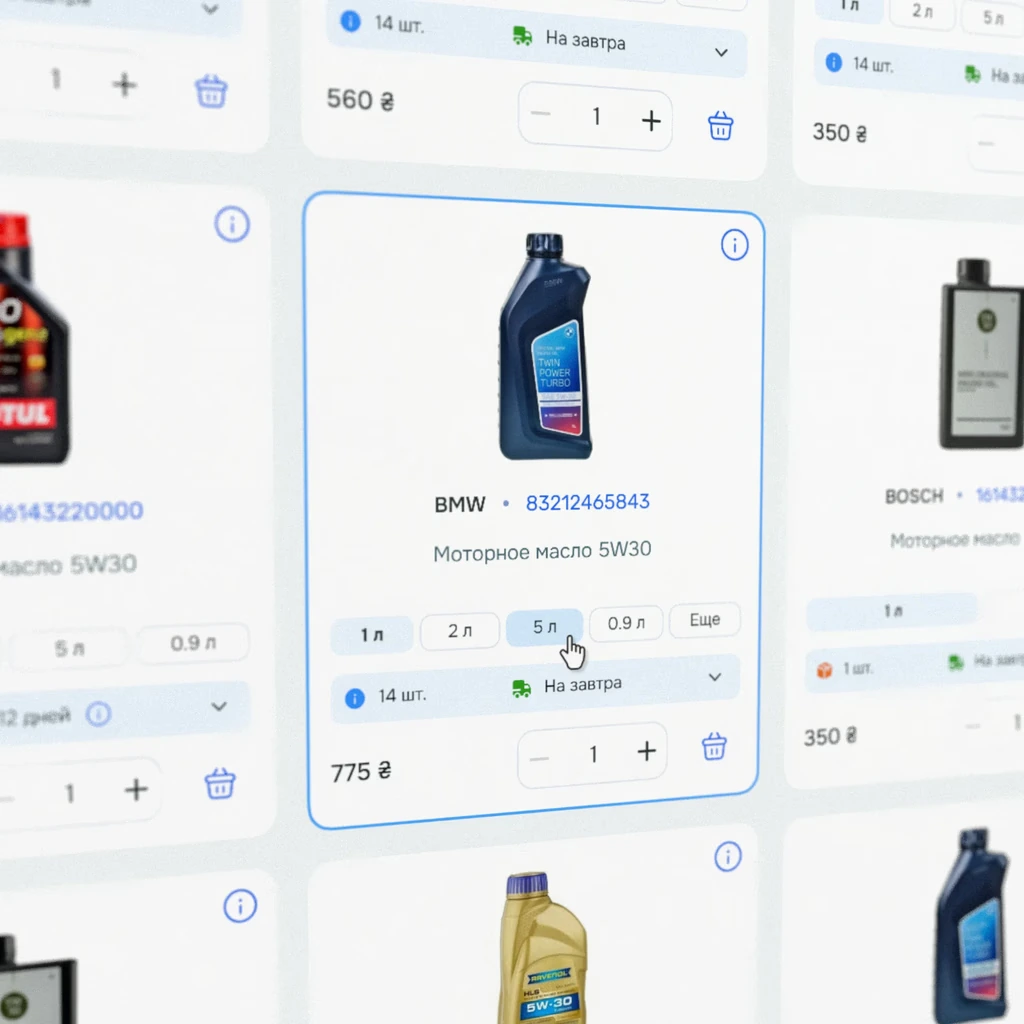
Grid: emphasis on large images — ideal for choosing accessories, wheels, and merch.
List: a compact view for professionals and wholesale buyers, where part numbers and technical parameters matter.
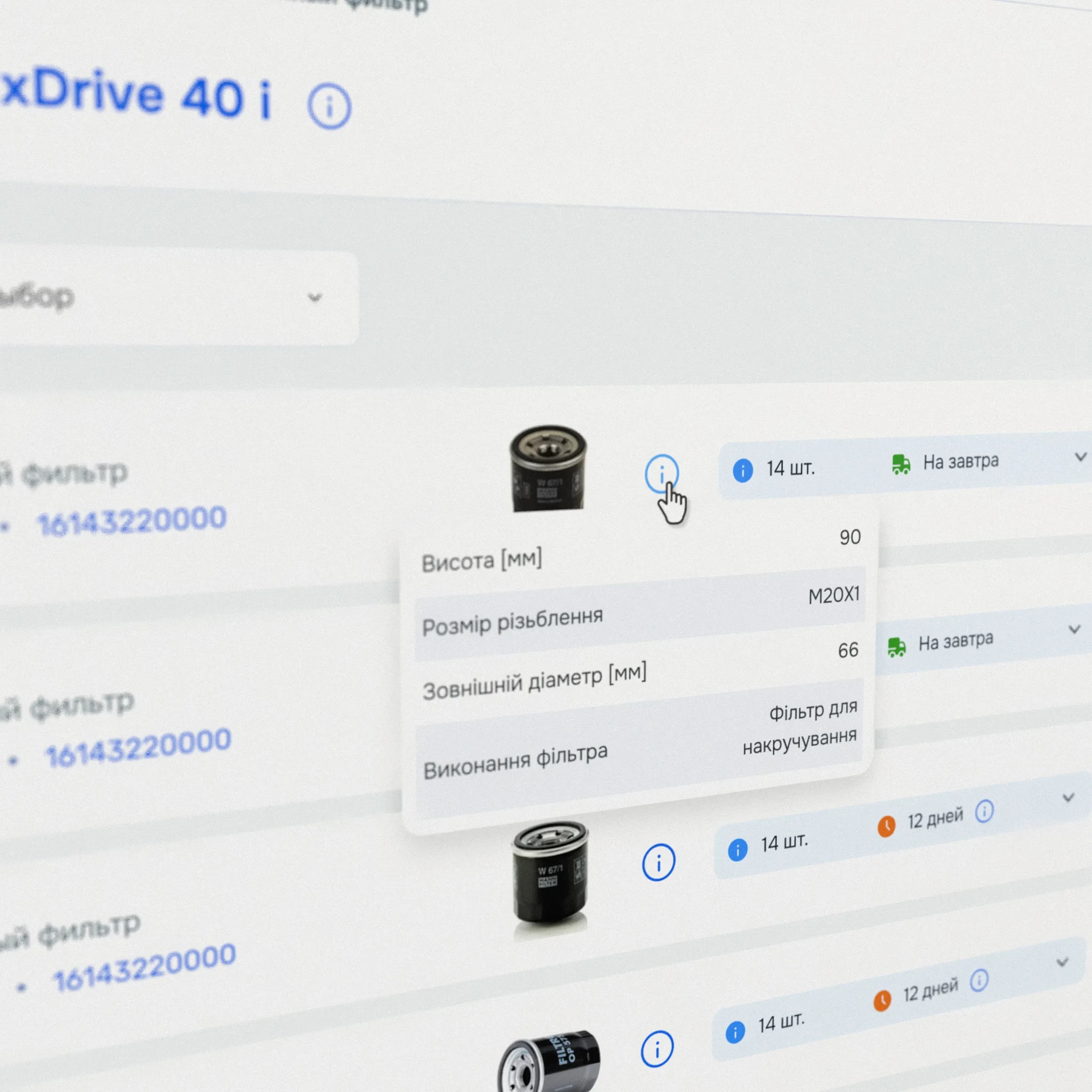
A hover icon reveals brief tech info without opening the product page.
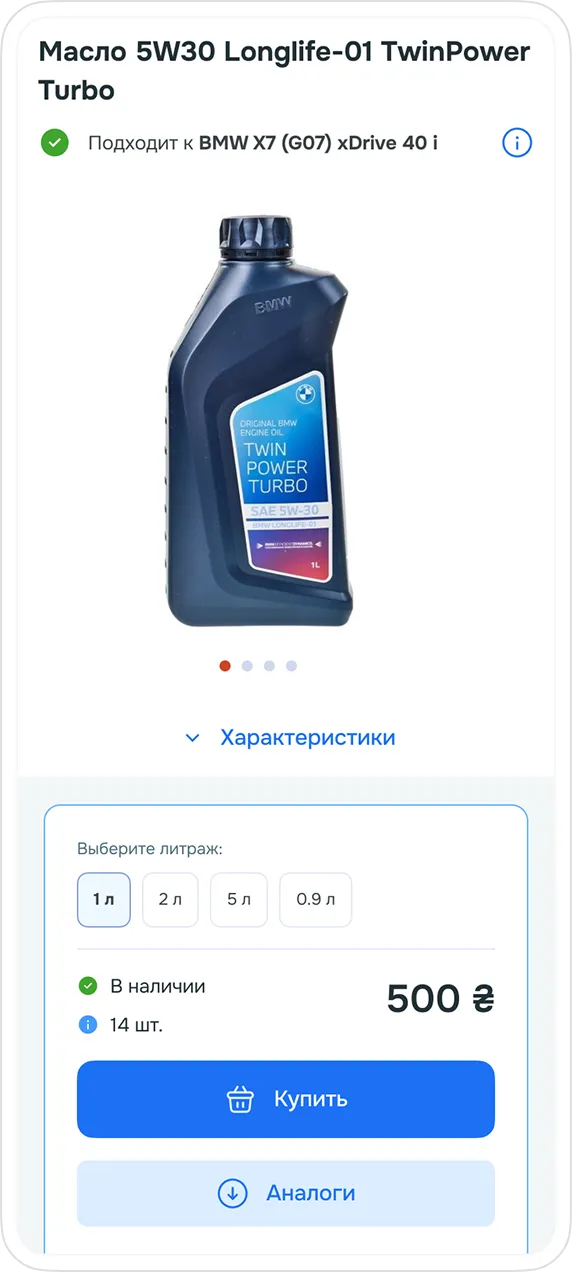
For products with variations (oil volume, t-shirt size) — a selector right in the card.
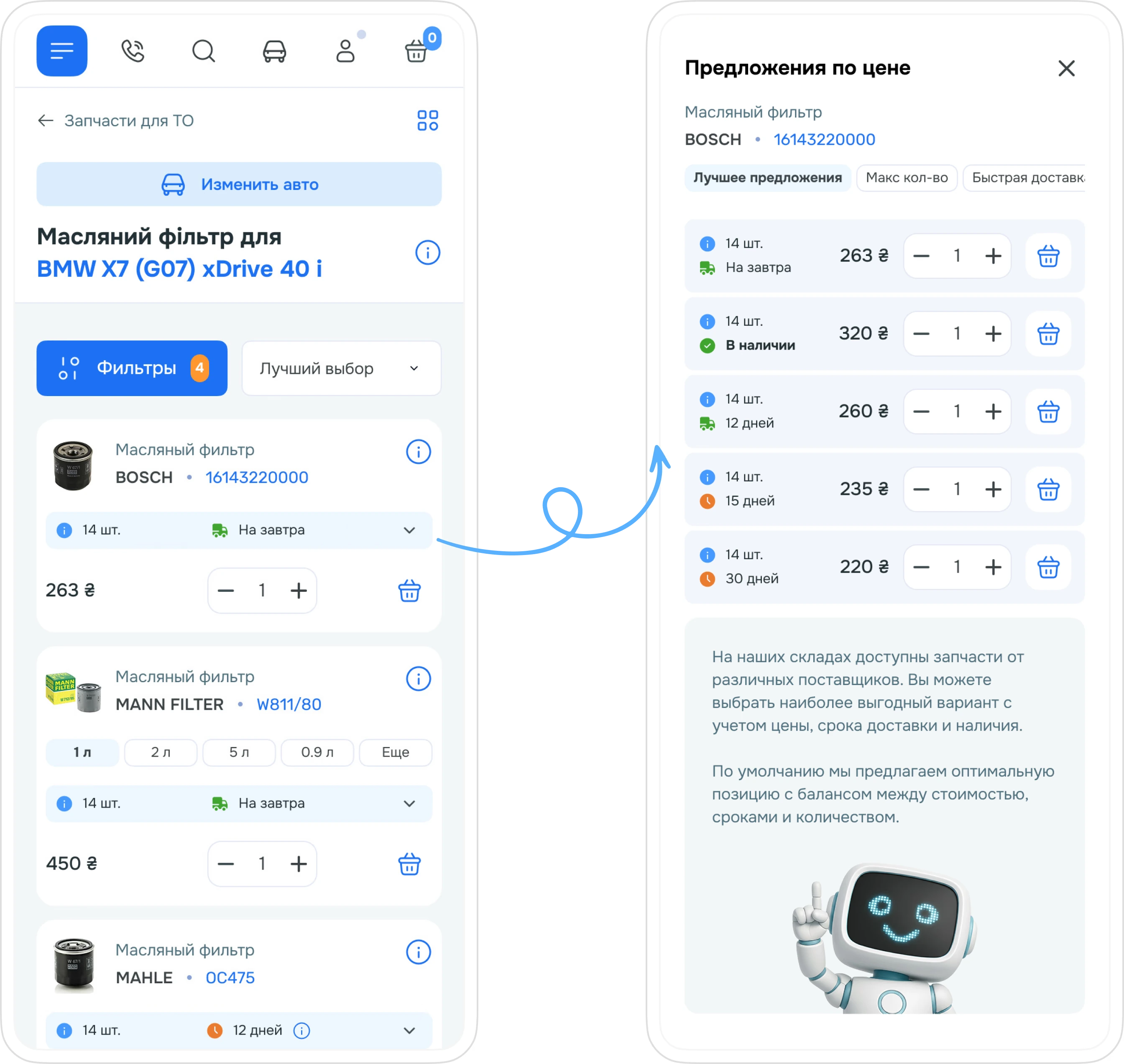
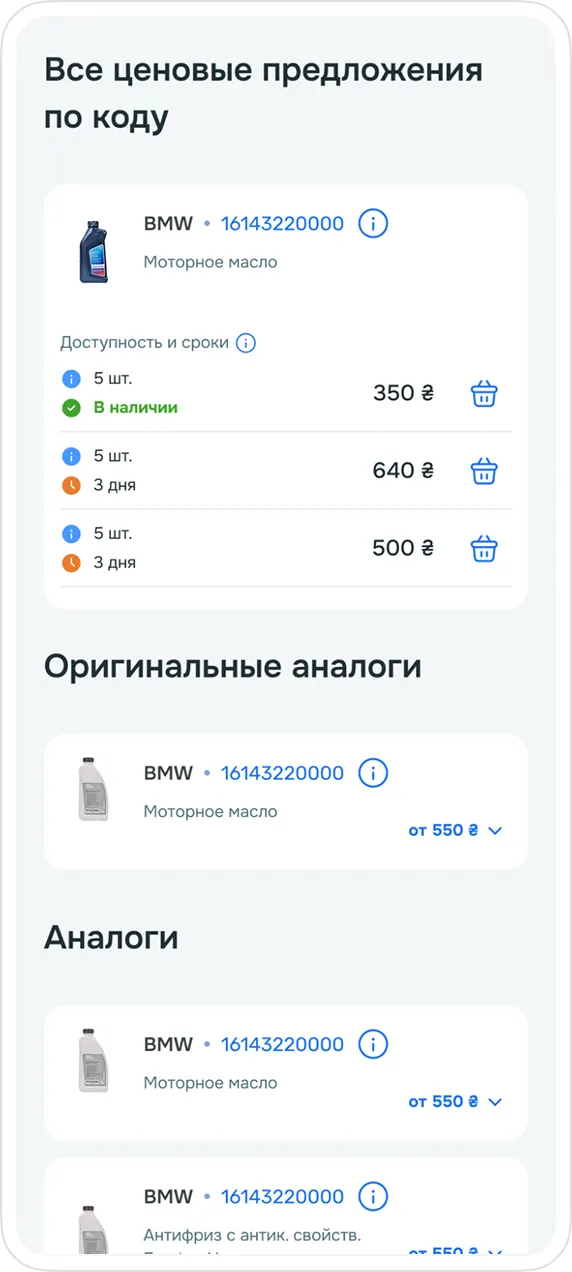
I separately solved the multi-pricing problem: the same item can have different prices depending on delivery time and availability.
the system automatically highlights the optimal option (balance of price and speed)
through a modal window, the user can choose for themselves: ‘cheaper but slower’ or ‘more expensive but now’
info banners are provided for new users, explaining the pricing mechanics
BMFixik —
an assistant character
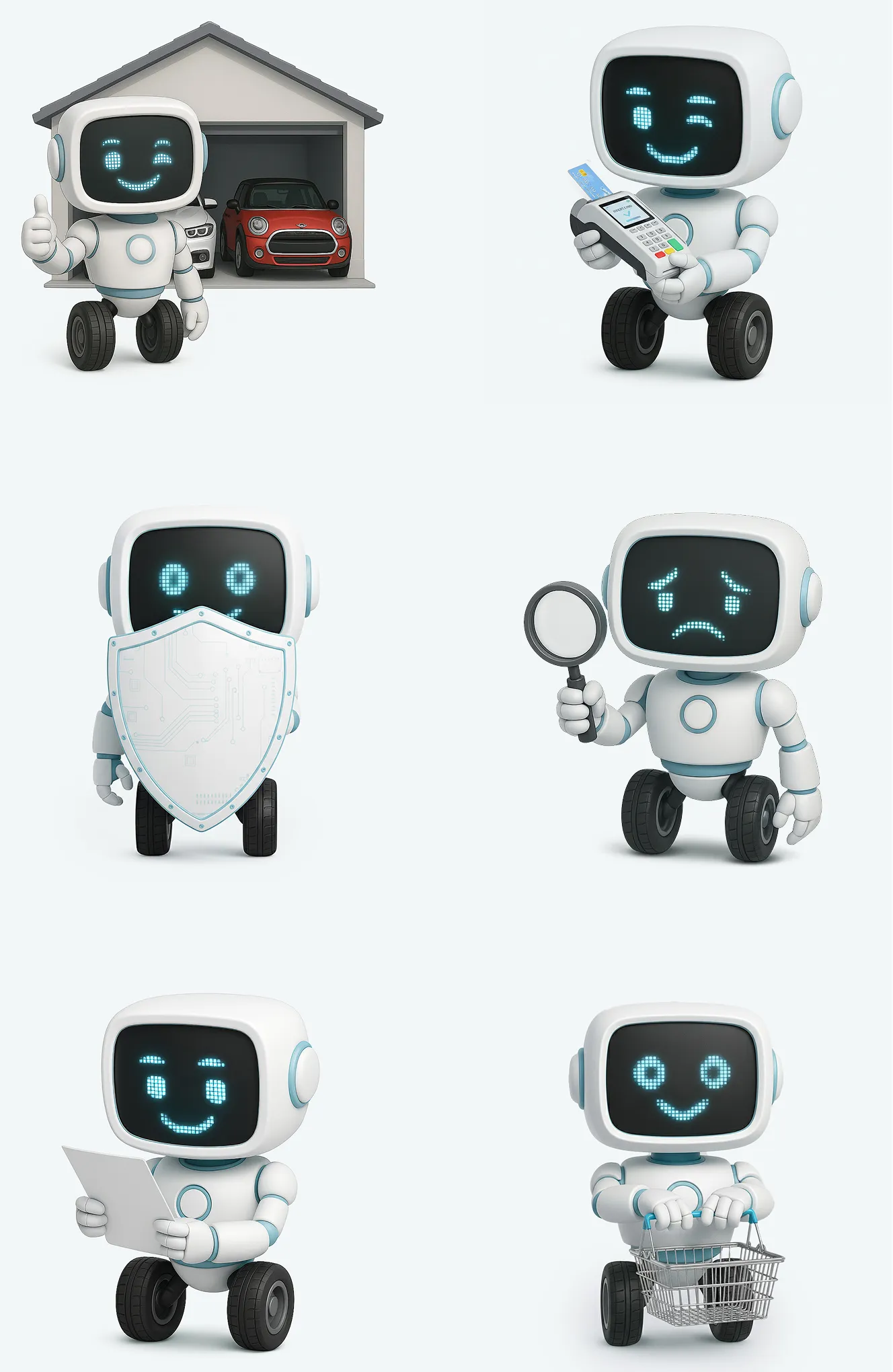
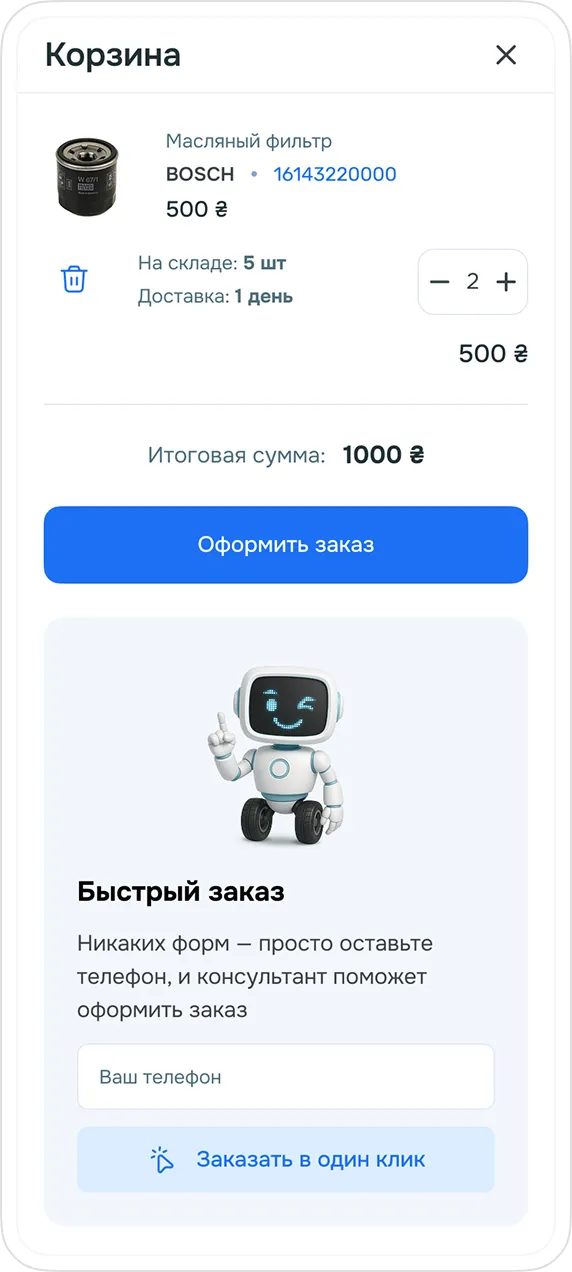
To make the interface feel more alive and friendly, I designed a character — the robot BMFixik.
An informal but unobtrusive helper: tips, confirmations, status messages.
The task was simple: a complex technical product shouldn't feel ‘cold’ — this directly affects whether a customer comes back for their next purchase.
Product page
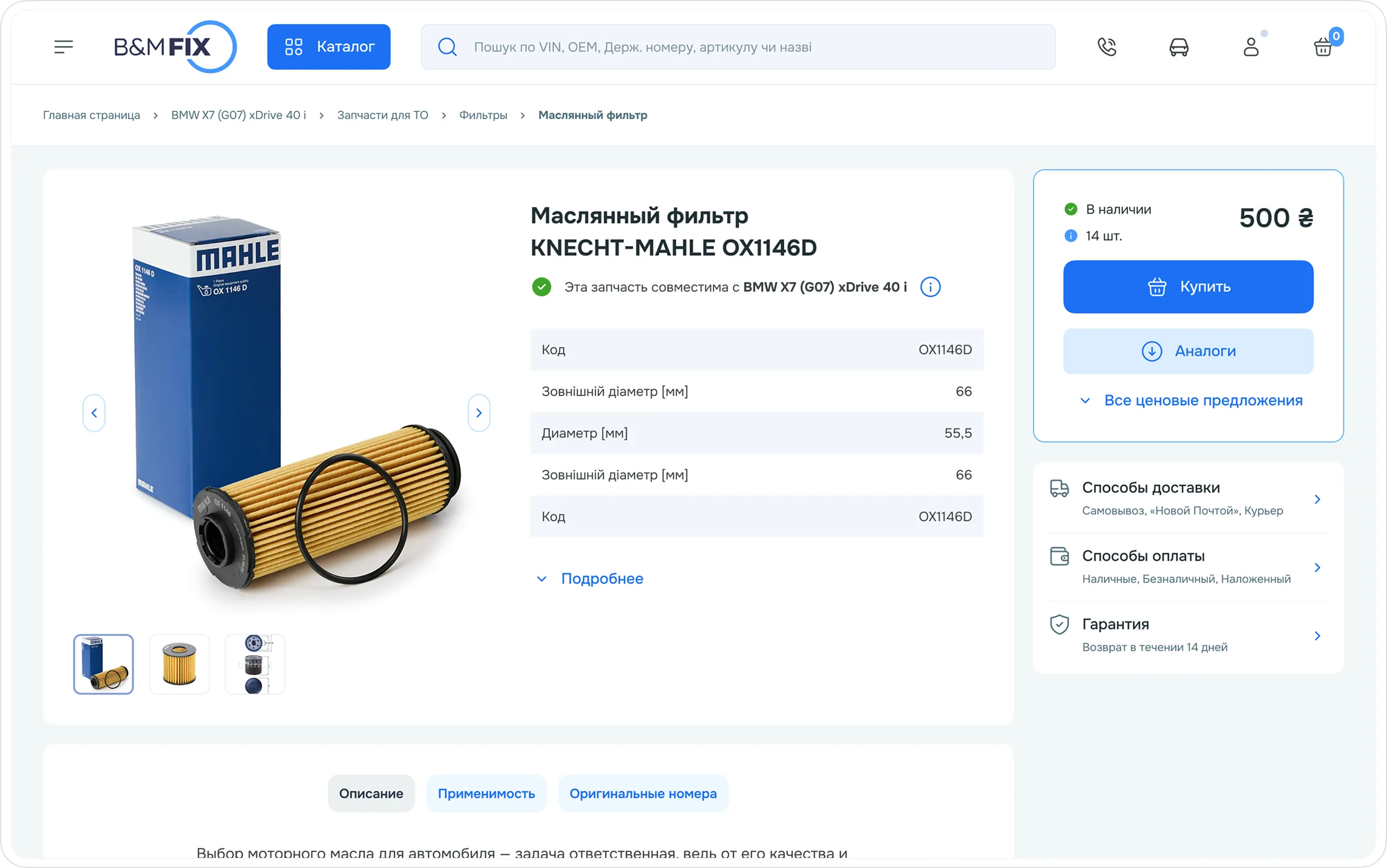
The first screen of the product page concentrates everything needed to make a decision:
Compatibility check
A widget that confirms whether the part fits the vehicle selected in the ‘Garage.’ Displays key specifications.
Variability
Quick selection of packaging (for oils) or sizes (for clothing). The CTA and availability/delivery indicator are visible right away.
Quick navigation
An ‘anchor’ system lets you jump with one click to the analogs table or a detailed comparison of price offers.
Result
BMFix got a tool that combines scale and ease of choice even for a buyer without technical expertise. As a result:
a scalable catalog with well-thought-out search and selection tools
an original catalog section based on TecDoc
a clean, premium design in the brand's style with a friendly assistant
a transparent pricing and delivery system
a personal account with a ‘Garage,’ where the client's vehicle data is stored for instant access to purchases in the future, order history, and more
a conversion-optimized checkout that minimizes ordering errors